RAL Room Onboarding
The Alignment Formula
Welcome to The Alignment Formula!
We are committed to making your experience excellent and are here to help you make faster, cheaper, and
smarter decisions today, so you don't waste a single dime tomorrow.
The World's First Pre-Construction Decision-Making Tool
Go or No Go – Know your real budget today, so you don't waste a dime tomorrow.
Stop flying blind into dead deals, cost overruns, and missed deadlines.
In this document you will learn how to:
Login to your account on our website.
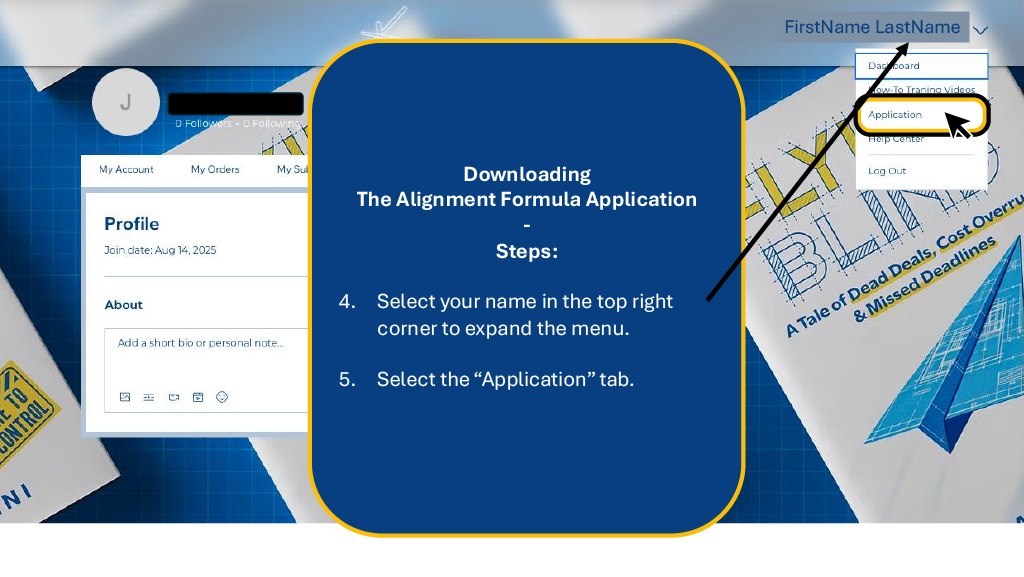
Download the latest version of "The Alignment Formula" Application.
Log into your account on our Application.
RAL Room Onboarding
Member Access
Accessing Your Account
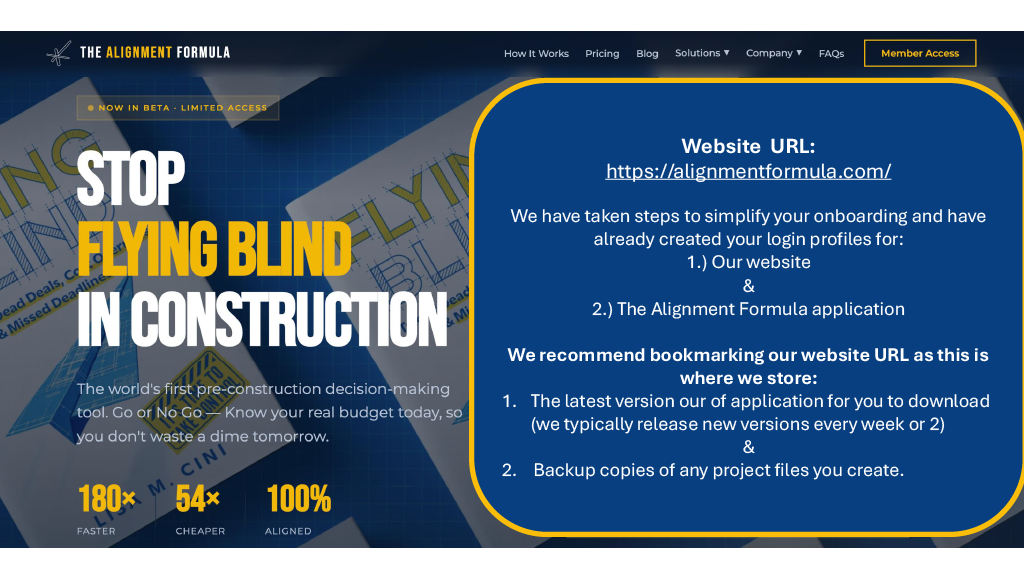
We have taken steps to simplify your onboarding and have already created your login profiles for:
Our website
The Alignment Formula application
Important: We recommend bookmarking our website URL:
https://alignmentformula.com/
Copy
This is where we store:
The latest version of our application for download (typically released every 1-2 weeks).
Backup copies of any project files you create.
RAL Room Onboarding
Downloading Part 1
Getting Started
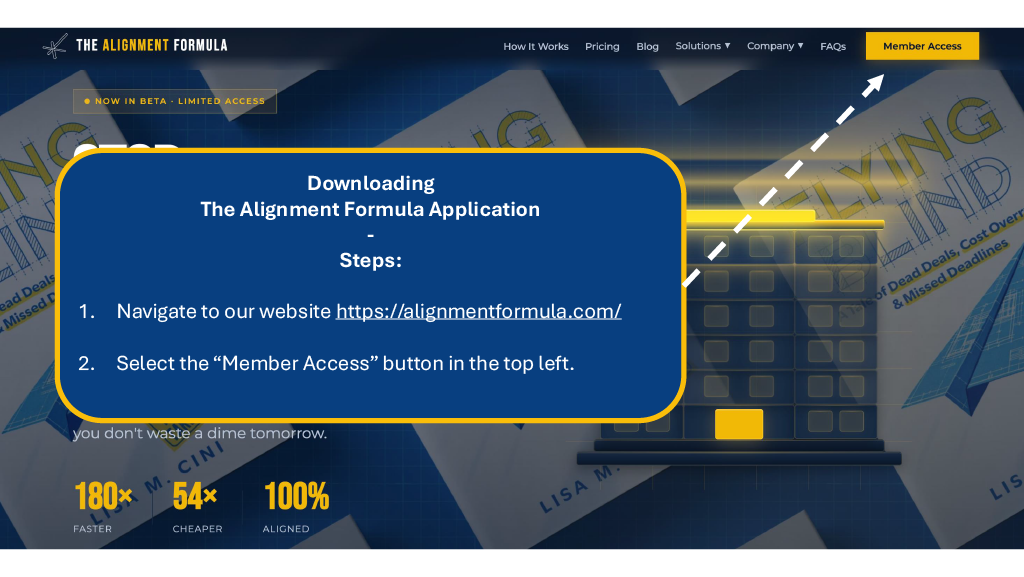
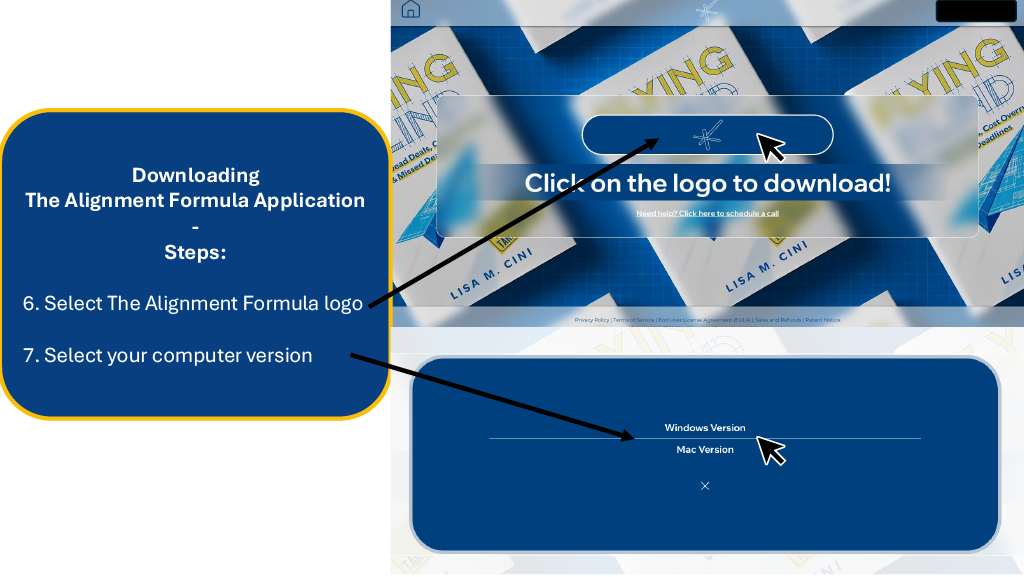
Step 1 & 2: Navigate to Member Access
Navigate to our website: https://alignmentformula.com/
Select the "Member Access" button in the top left corner.
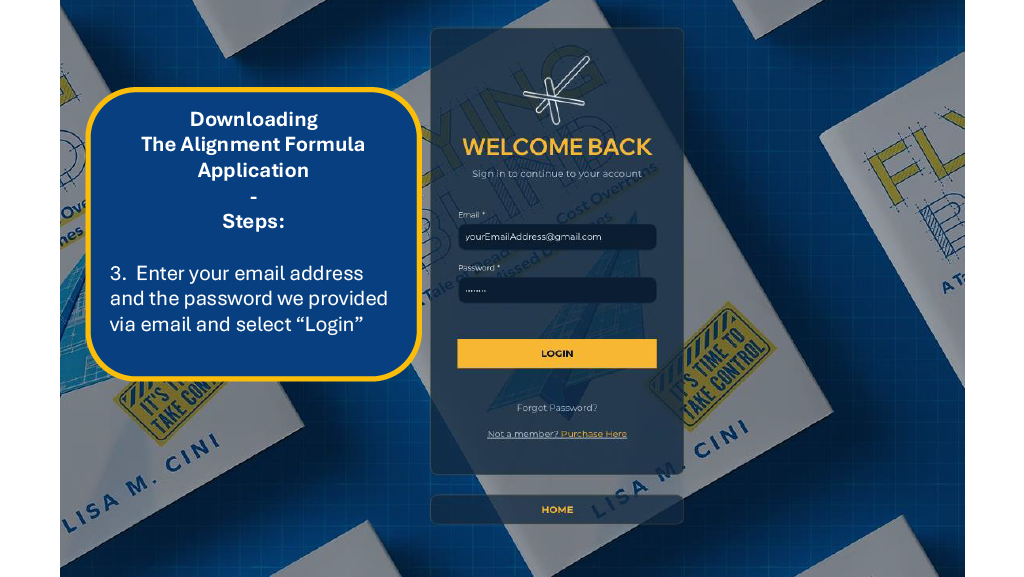
Step 3: Website Login
Enter your email address and the password we provided via email, then select "Login".
RAL Room Onboarding
Installation & Extraction
Downloading & Unzipping
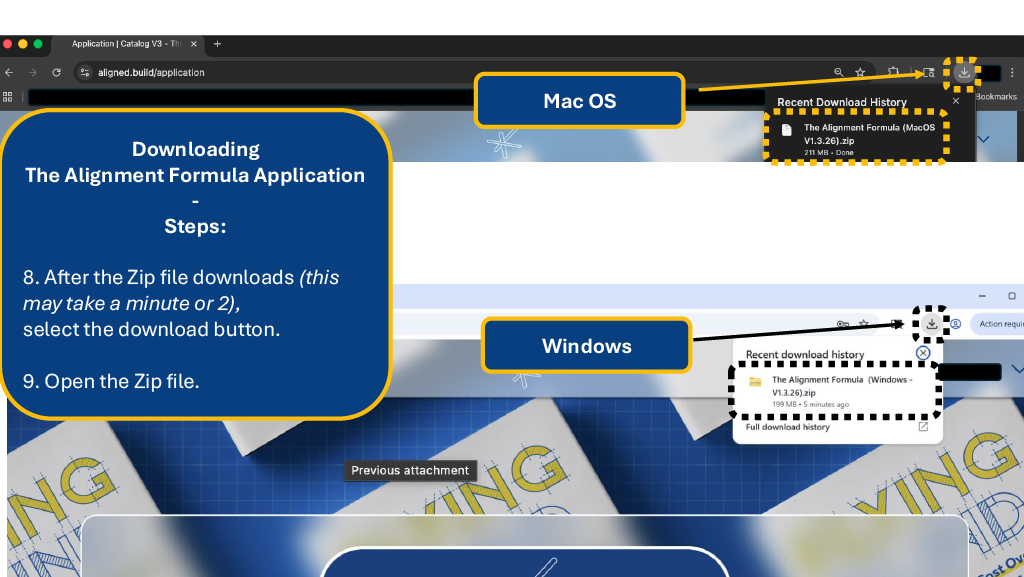
Step 8 & 9: Download the File
After the Zip file downloads (this may take a minute or two), select the download button in your
browser.
Open the Zip file.
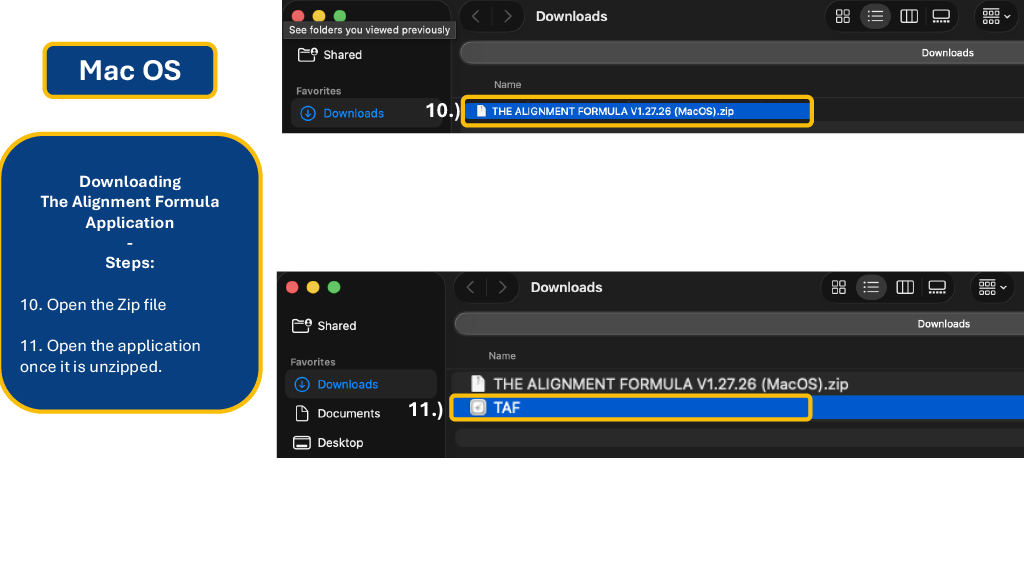
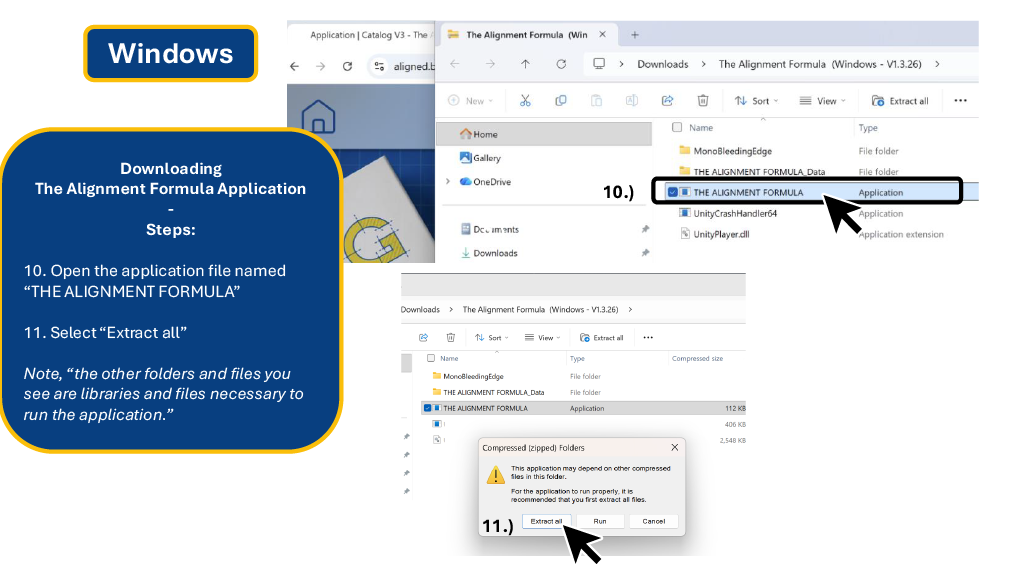
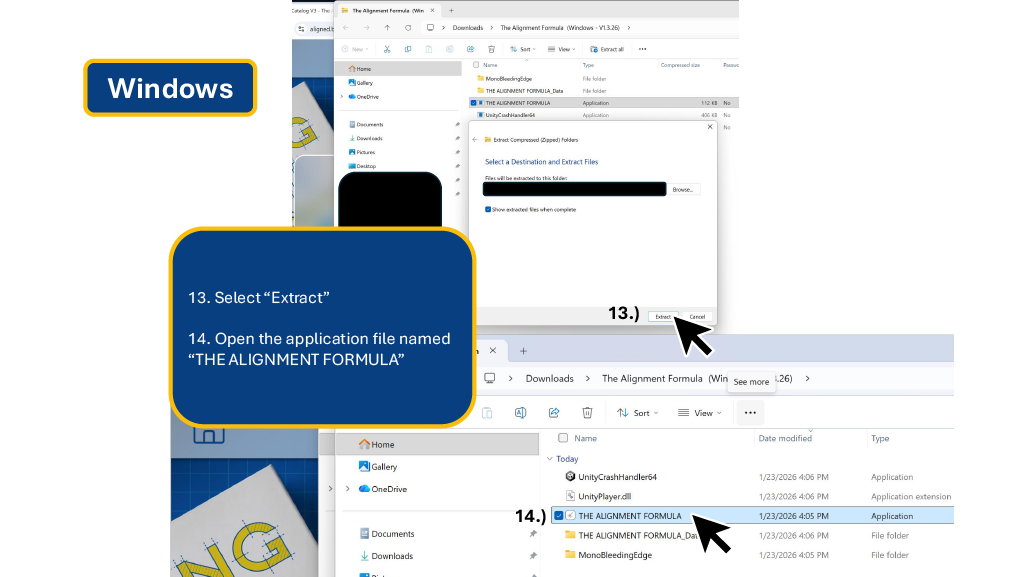
Step 10: Extracting the Files
For Mac OS Users:
Open the Zip file, then open the application once it is unzipped.
For Windows Users:
Open the file named "THE ALIGNMENT FORMULA" and select "Extract
All" .
Windows Note: Ensure you select "Extract" on the destination popup. Do not try to run the
application from inside the zipped folder.
RAL Room Onboarding
Launching the Application
Finalizing Installation (Windows)
Step 14: Launch
Once extracted, open the application file named "THE ALIGNMENT FORMULA" .
RAL Room Onboarding
Security Settings
Handling Security Pop-ups
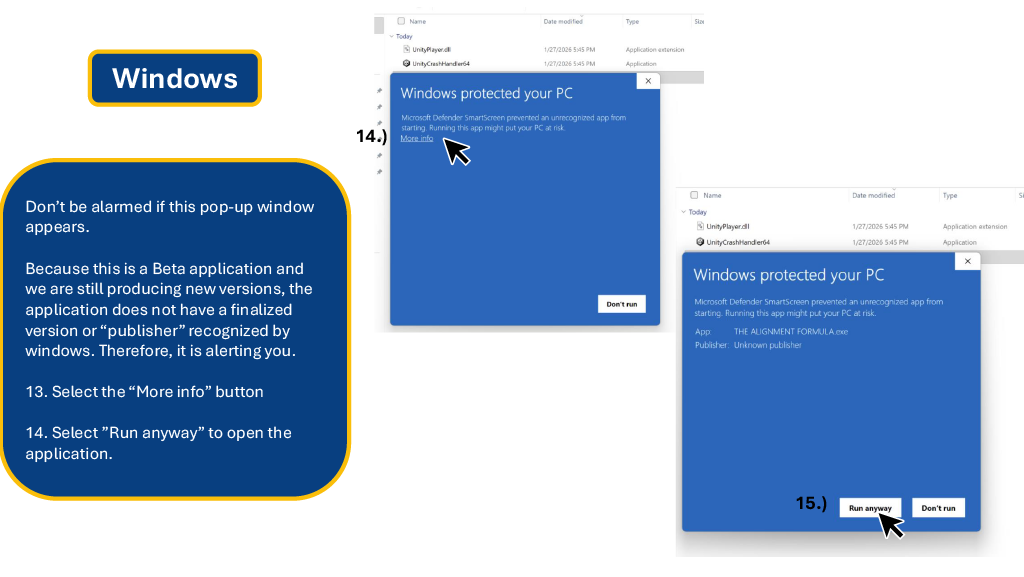
Don't be alarmed if a "Windows protected your PC" window appears.
Because this is a Beta application, Windows may not recognize the publisher immediately.
Select the "More info" text link.
Select the "Run anyway" button to open the application.
RAL Room Onboarding
Application Setup
Logging In
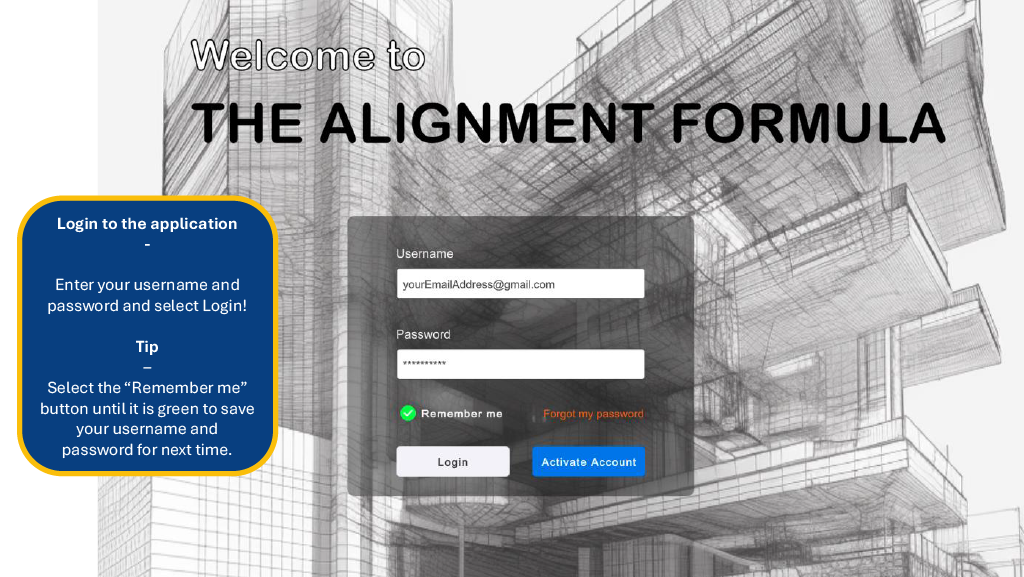
Enter your username (email) and password to Login.
Tip: Select the "Remember me" button until it turns green to save your credentials for next
time.
RAL Room Onboarding
Project Management
The Projects Page
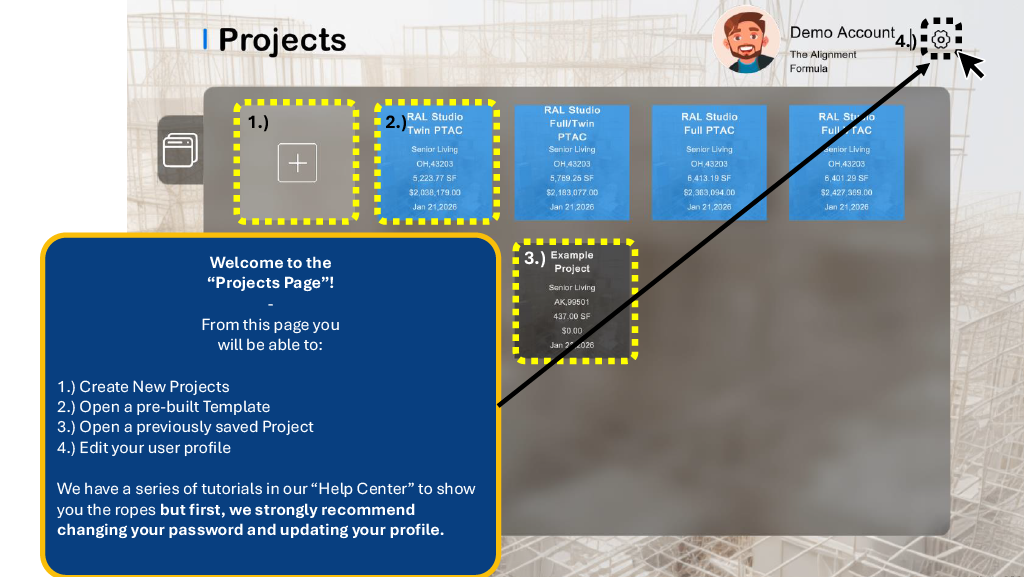
From the Dashboard (Projects Page), you will be able to:
Create New Projects or Open Templates
Open previously saved Projects
Edit your user profile (Recommended first step)
RAL Room Onboarding
Profile Management
Editing Your Profile
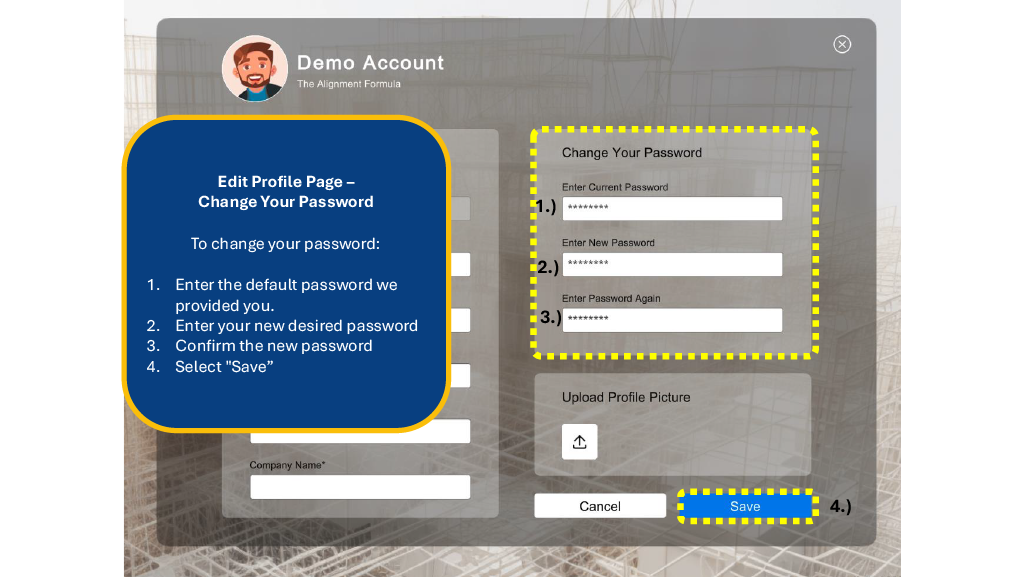
We strongly recommend changing your password and updating your profile immediately upon first login.
Changing Your Password
Enter the default password we provided you.
Enter your new desired password and confirm it.
Select "Save" .
RAL Room Onboarding
Profile Customization
Updating Profile Picture
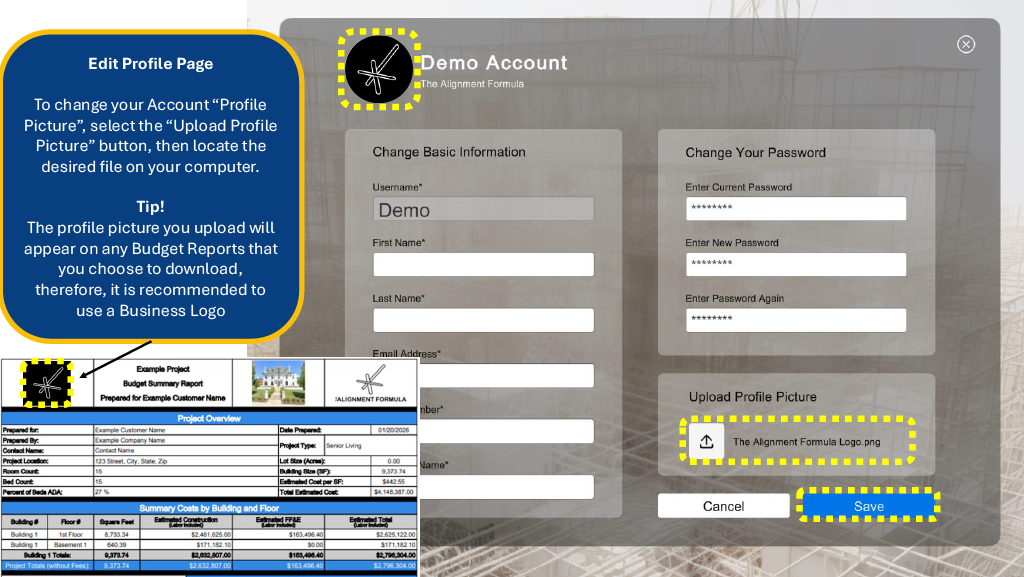
To change your Account Profile Picture, select the "Upload Profile Picture" button (Up Arrow icon).
Tip: The profile picture you upload will appear on any Budget Reports that you choose to
download. It is recommended to use a Business Logo .
RAL Room Onboarding
Finalizing Profile
Updating Basic Info
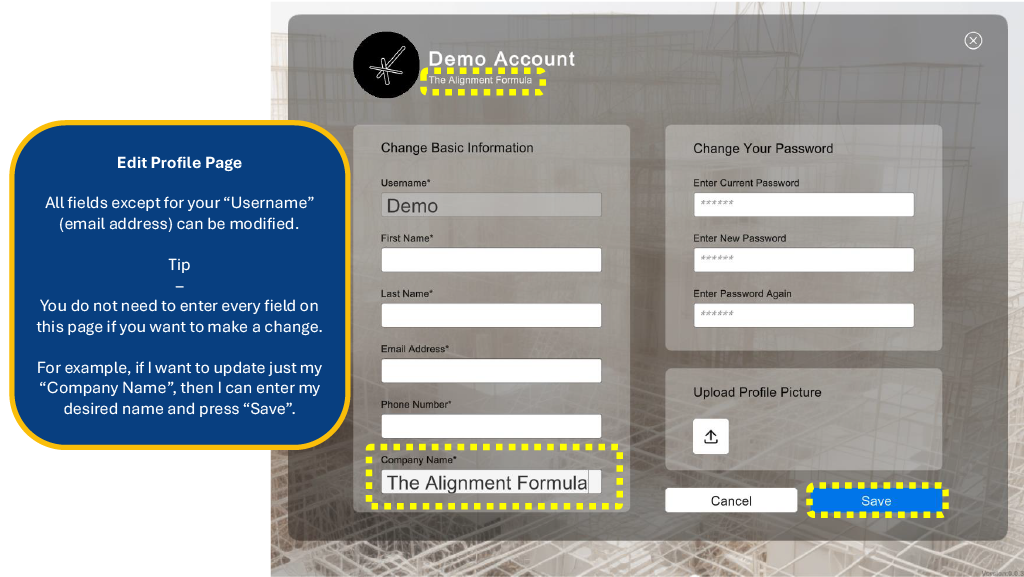
You can update your Company Name and other details. Note that you do not need to fill out every field to save
a change.
For example, if you just want to update your "Company Name", enter it and press Save.
RAL Room Onboarding
Support & Resources
You are all set to begin building and budgeting!
Please note, we have prepared several additional training materials for you that are available in our
"Knowledge Center" .
Need Help?
We are more than happy to guide you via: